
Reading Long Articles on Android Could Get Easier With Chrome’s Reading mode
Chrome Canary on Android now supports the Lexend font in Reader Mode.


 2 min. read
  Published on
Google is improving Reading mode in Chrome across platforms. Recently, Chrome on Android gained new Reading mode customization options. Google is now adding a new font called “Lexend” to Chrome’s Reading mode on Android in Canary. The font uses clear letter shapes and spacing, which can help with reading long articles on a phone.
Lexend is available through Google Fonts. It is described as a font intended to reduce visual stress and support more comfortable reading, especially on pages with dense text.
Lexend Arrives in Chrome’s Reading mode on Android
Reading mode strips away page clutter and shows articles in a simple layout. On mobile, it currently offers a small set of generic options such as Sans, Serif, and Mono. Lexend now appears as an additional, named option in that list.
Lexend is already available in Chrome’s Reader mode on desktop. This is its first appearance on mobile. The change may matter more on phones, where smaller screens can make long articles harder to read.
The font appears inside the Reading mode controls in the bottom sheet. Users can switch to Lexend with a tap, change text size, and adjust the background without leaving the page.

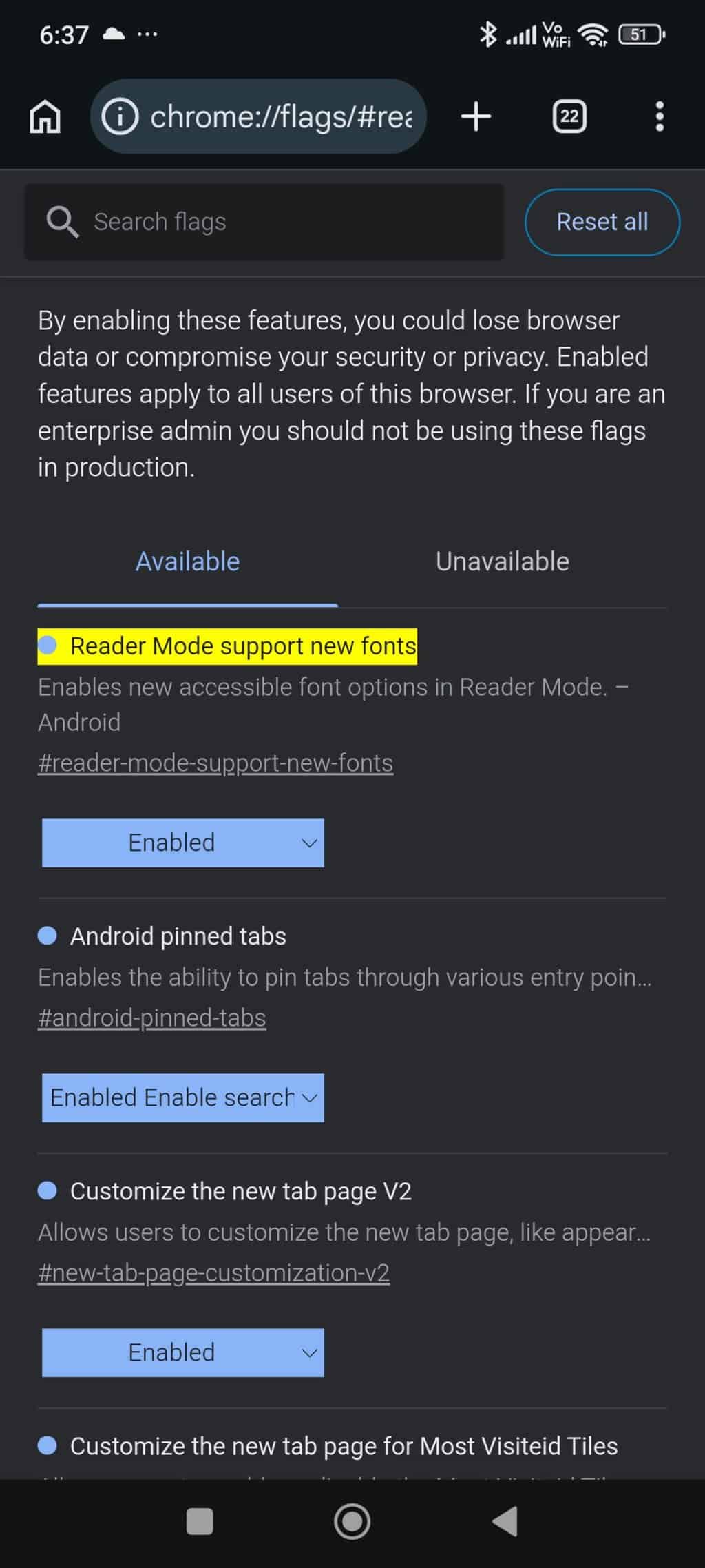
The option is available in Chrome Canary behind a feature flag called “Reader mode support new fonts”. Google is still testing the change, and there is no word yet on when it will reach the stable release.
Chrome already offers reading controls such as text size, contrast, and themes. Lexend adds another choice for people who read often on their phone.
Even small font changes can affect reading comfort on mobile. Lexend helps mobile Reading mode match the desktop version and can make long articles easier to finish.
Reading Mode needs to be enabled before it appears. Users can turn it on from Chrome’s menu by selecting “Show Reading Mode.” The feature itself is still behind a flag in Chrome Canary.
The change is currently limited to Chrome Canary on Android. Google has not shared any details about when or if it will arrive on iOS.
Google is also testing an immersive Reading mode experience in Chrome on desktop, with fewer toolbar buttons.


Read our disclosure page to find out how can you help Windows Report sustain the editorial team. Read more



Improve this guide


User forum
0 messages