
Windows 11 Paint App Now Lets You Collapse Toolbar for More Editing Space


 2 min. read
  Published on

If you are an Insider in the Dev and Canary channel and use Paint app, there is a new update that you should know about. As part of the latest update, Microsoft is rolling out a new collapsible toolbar inside Windows 11 Paint app, a feature that’s designed to free up screen space while you work.
The latest feature is available in the Paint app version 11.2511.281.0 and gives users more control over how much of the interface stays visible. Thanks to the update, the robbons are not permanently pinned; Paint now allows you automatically hide it when it’s not needed.
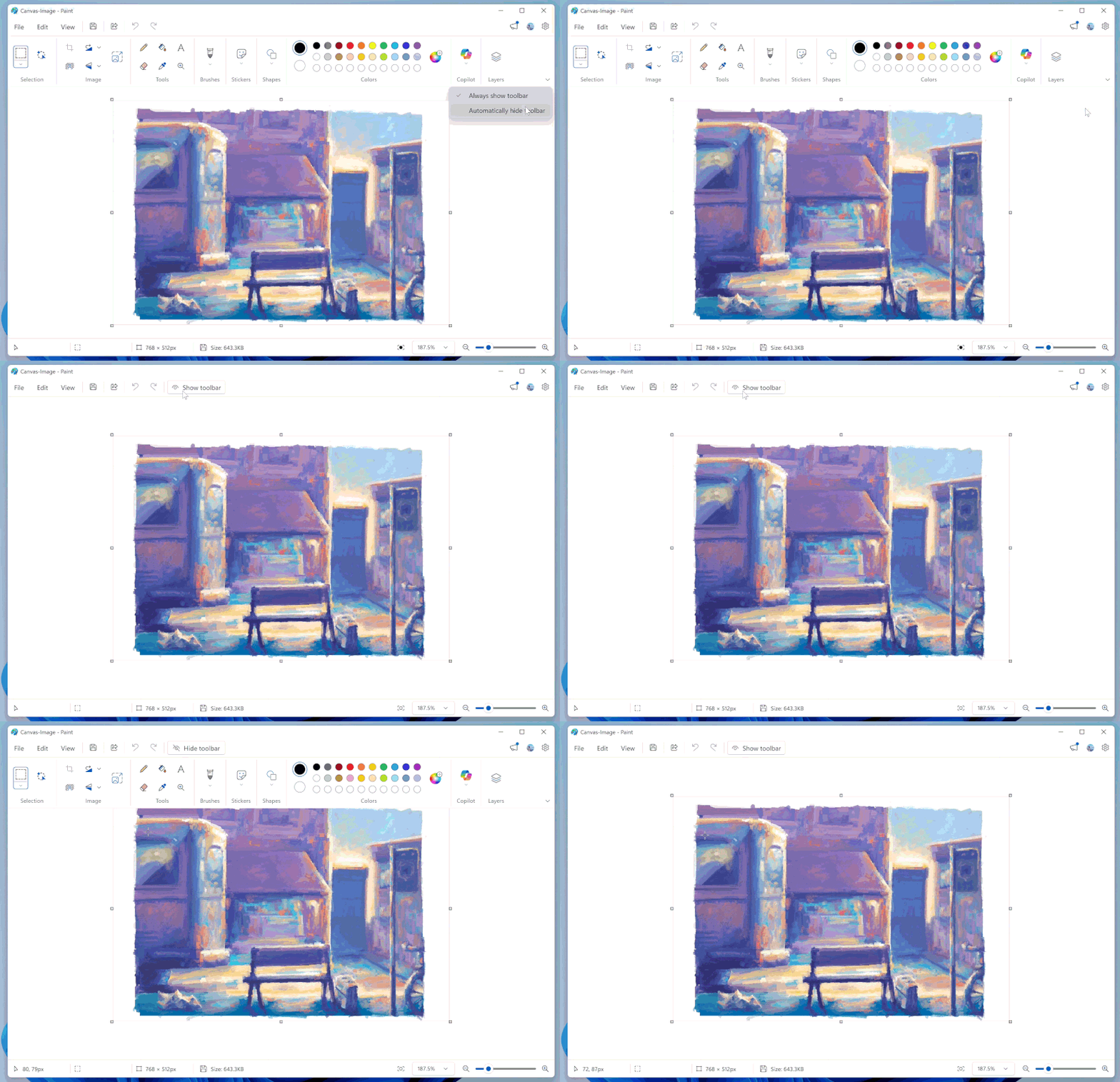
To enable the feature, open Paint and click the chevron icon at the bottom-right of the ribbon to enable Automatically hide toolbar. When you need it back, a Show toolbar button appears, allowing you to quickly switch tools without digging through menus.
Hiding the toolbar again is just as simple. You can click the Hide toolbar button or tap anywhere outside the toolbar area. If you prefer the usual layout, the default view is still available. Not to forget, clicking the chevron and choosing Always show toolbar restores the ribbon permanently.
This update is especially useful on smaller displays or when working on detailed edits, where every bit of canvas space matters. What do you think about this change? We’d love to hear your thoughts in the comments below.

Read our disclosure page to find out how can you help Windows Report sustain the editorial team. Read more



Improve this guide



User forum
0 messages